Introduction
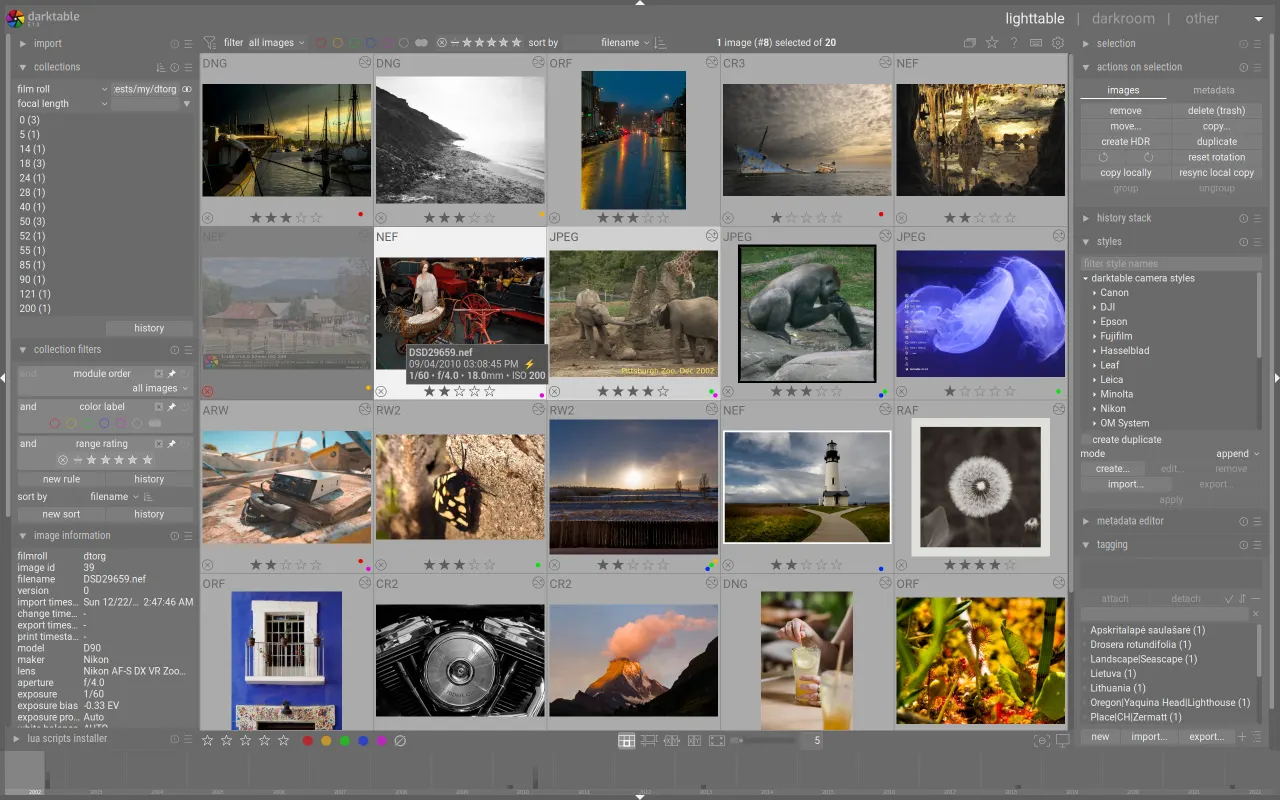
Darktable is a robust, open-source photography workflow application and RAW developer, offering a comprehensive suite of tools for professional and amateur photographers alike. It provides a powerful, free alternative to proprietary software like Adobe Lightroom, enabling users to manage and process their digital negatives with extensive control and flexibility.
Features
Darktable empowers photographers with a wide array of features for detailed image manipulation and workflow management:
- Extensive Module Suite: Utilize a powerful collection of modules for non-destructive editing, allowing for precise adjustments to exposure, color, tone, and more.
- Customization and Control: Gain deep control over the editing process, allowing for highly personalized looks and styles in your photographs.
- RAW Image Support: Seamlessly work with various standard, raw, and high dynamic range image formats, ensuring compatibility with most camera outputs.
- Efficient Workflow: Benefit from a zero-latency, zoomable user interface and a fast database that never loses image development settings, aided by XMP sidecar files.
- Tethered Shooting: For supported camera brands, enjoy tethered shooting capabilities, allowing for direct image import and review during a shoot.
- Automation: Automate repetitive tasks and extend functionality through Lua scripting, streamlining your post-processing workflow.
- Powerful Export System: Export your finished images in various formats and sizes with a highly configurable export system.
- Multi-language Support: The software is translated into many languages, making it accessible to a global user base.