Introduction
Pydio Cells is a robust, self-hosted content collaboration platform designed for enterprises and organizations that demand full control over their data. It stands as a powerful alternative to traditional SaaS cloud storage solutions like Dropbox, emphasizing data sovereignty and advanced security for sensitive information. Pydio provides a secure environment for file sharing, team collaboration, and workflow automation, ensuring compliance and privacy.
Features
Pydio offers a comprehensive suite of features tailored for enterprise-grade file management and collaboration:
- Data Sovereignty & Control: Deploy Pydio on-premise or in your private cloud, giving you complete ownership and control over your data, ensuring compliance with strict regulatory requirements.
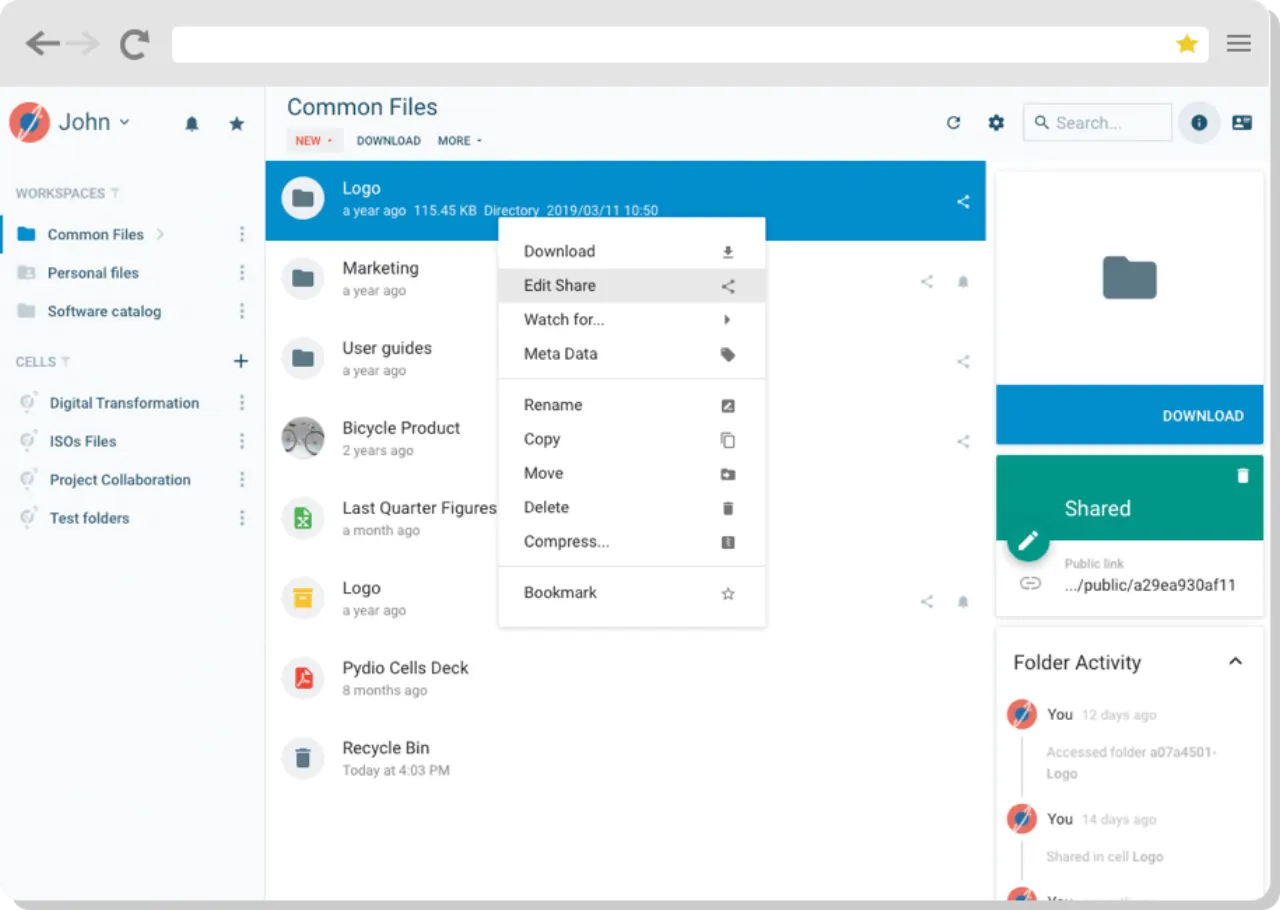
- Secure File Sharing & Collaboration: Facilitate secure document sharing with granular permissions, activity monitoring, and strong encryption. It includes features like Virtual Data Rooms, Digital Asset Management, Document Management, and Knowledge Management to enhance teamwork.
- High-Performance File Transfers: Supports very large file transfers, up to 5TB, with local syncing capabilities for faster transfers within the same network.
- Robust Security: Implements multi-factor authentication (MFA), storage encryption, role-based access control (RBAC), and SSL/TLS protection to safeguard your content.
- Flexible Integrations: Seamlessly integrates with various identity providers such as AD/LDAP, OAuth2/OIDC, and SAML/Azure ADFS, fitting into existing enterprise infrastructures.
- Cross-Device Accessibility: Access files and collaborate from desktops, tablets, and mobile devices, with options for offline access to maintain productivity anywhere.
- No-Code Automation: Streamline workflows and automate routine tasks without requiring coding expertise, improving efficiency across your organization.